
PMIS: Project controls you can trust. Decisions you can defend.
One governed environment for schedule, cost, risk and reporting, so every number you take to the board is validated, traceable and ready to sign off.
40+
integrated modules and registers
10/10
PMBOK® Guide knowledge areas covered
3
schedule sources: P6 XER · MS Project · native
14
DCMA schedule-health checks
What is PMIS?
Asite's Project Management Information System (PMIS) is built for construction delivery.
It connects the information behind cost, schedule, commercial, risk and project performance, giving project controls teams a governed view of the delivery position.
Trust your schedule before you report on it
See what’s really driving performance
Stand behind every number
Act on project intelligence
AI for Project Controls
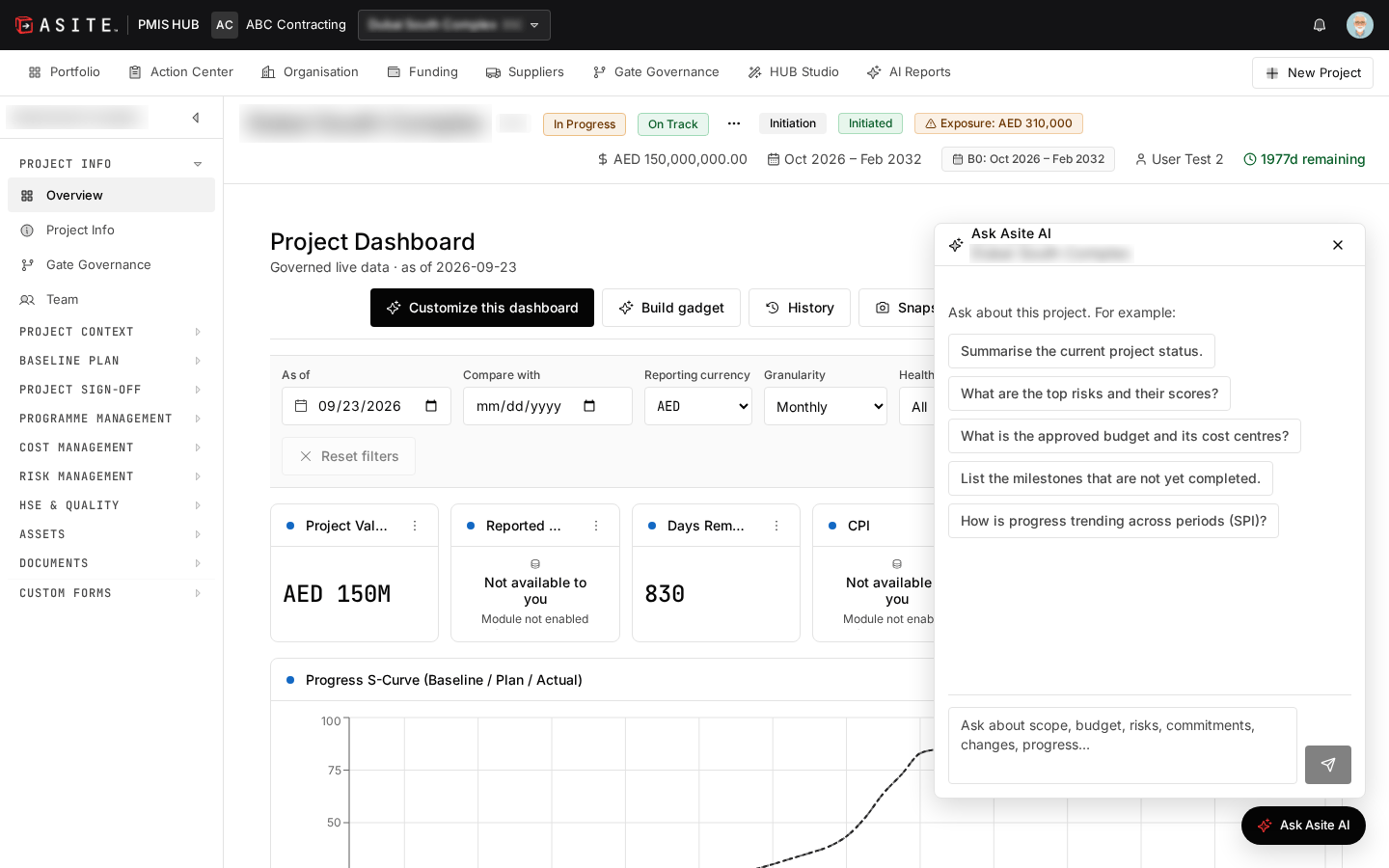
Your AI project controls assistant that answers questions from your records
Ask about scope, budget, risks, commitments, changes or progress, and get answers drawn only from your project’s own records. The assistant respects each user’s access rights, shows where each answer comes from, and tells you plainly when the answer isn’t in the record.
How Asite PMIS works
Asite PMIS connects project controls through governed data and structured workflows. The platform validates key inputs, establishes controlled project baselines and brings information together for reporting and decision-making.

Configure the project

Validate the schedule

Establish the cost position

Govern project information

Connect performance data

Analyse project health

Act with confidence
Add-ons and Integrations

CDE Agnostic
Connect delivery controls with project information. Deep-link between PMIS records and your CDE.

Primavera P6
Import P6 XER schedules directly into PMIS for schedule validation, WBS generation and project controls.

Microsoft Project
Support schedule management alongside P6-based project controls.
Asite AI
Use AI-assisted analysis for schedule commentary, risk mitigation, project documentation and other supported workflows.

Asite PMIS is a Project Management Information System for owners, developers, PMCs and contractors. It brings portfolio oversight, planning, scheduling, cost control, risk, HSE, quality, funding and assets into a shared project environment.
Executives can review the portfolio while project managers, planners, commercial teams and site specialists work with the records relevant to their roles. PMIS supports the project lifecycle from initiation through to final account.

PMIS brings schedule analysis, commercial control, quantitative risk and management reporting into the same project context. Shared structures and approval records help teams connect an analytical finding to the work, cost and decision behind it.
Its value is the continuity between activities: identify an issue, assess the exposure, assign responsibility, control the change and explain the reported position. This helps reduce the reconciliation associated with moving information between separate tools and spreadsheets.

Yes. PMIS supports Primavera P6 XER files and Microsoft Project XML files, alongside a native schedule builder. Microsoft Project schedules are exported to the supported XML format before import.
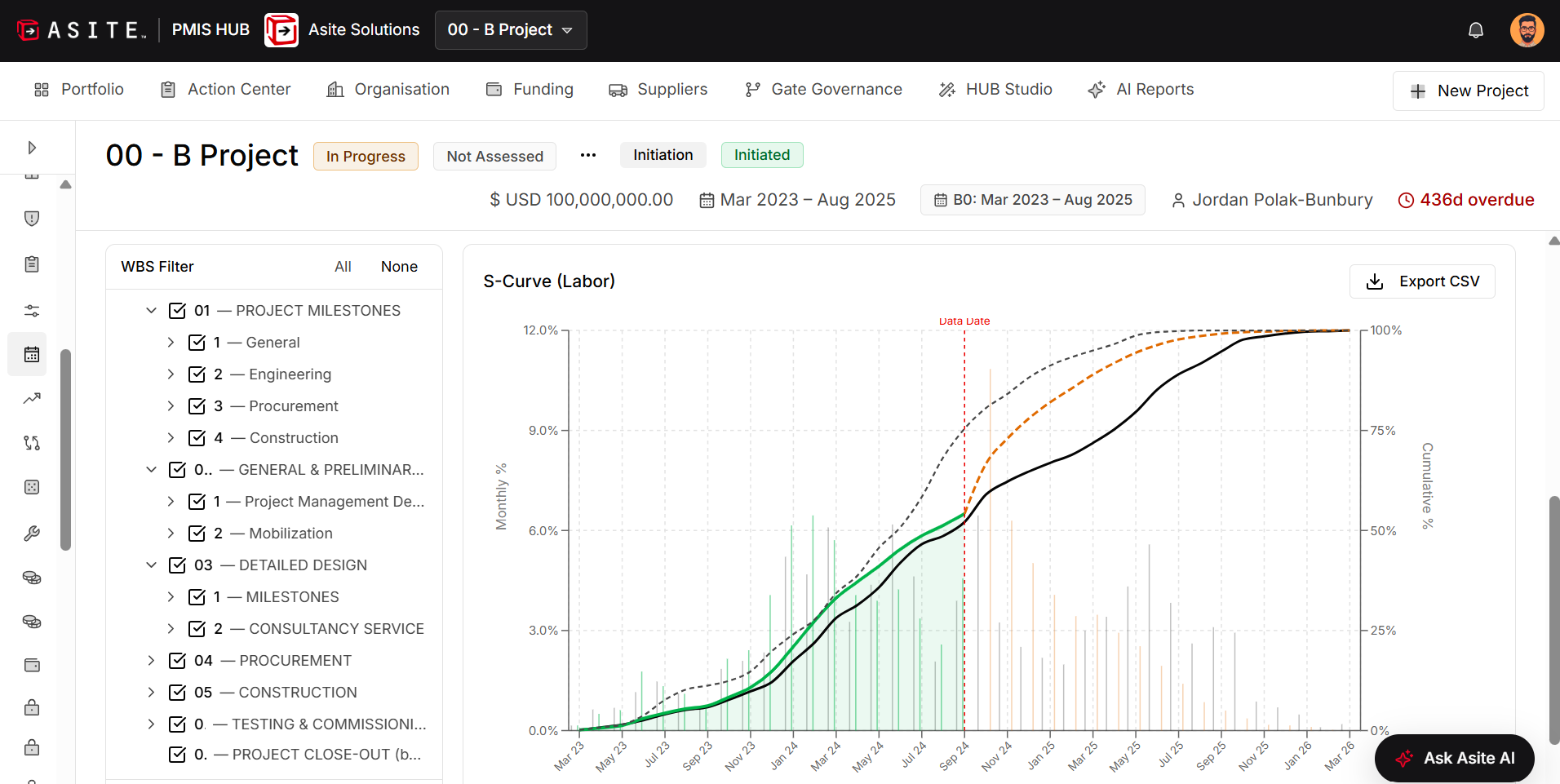
Teams can review activities, Gantt charts, baselines, progress curves and DCMA 14-point schedule-health checks. This supports existing planning practices while bringing schedule evidence into the wider project controls process.

Control accounts connect defined work with its budget and measured progress. In PMIS, they bring the Cost Breakdown Structure (CBS), Work Breakdown Structure (WBS) and schedule progress together at a manageable level of control.
This gives the team a structured basis for comparing what was planned, what has been achieved and what it has cost. It also helps managers investigate performance at the work-package level rather than relying only on project-wide totals.
The Control Accounts workspace includes a register, CBS-WBS mapping, coverage and validation, baseline and planned value, and versions and approvals. These views help teams inspect the structure used to connect budget and progress.
Coverage checks help identify gaps before performance measures are relied upon. The benefit is a more explainable reporting basis: reviewers can understand which work and cost records support the position and where further setup or validation is needed.

Control accounts provide the connection between budget, the approved performance baseline and the progress method used to measure delivery. With the required inputs in place, earned value reporting compares planned value, earned value and actual cost.
Teams can review cost and schedule performance indicators alongside the underlying mappings and reporting period. This keeps the discussion focused on measurable delivery performance and its basis, with missing or unapproved inputs disclosed rather than assumed.

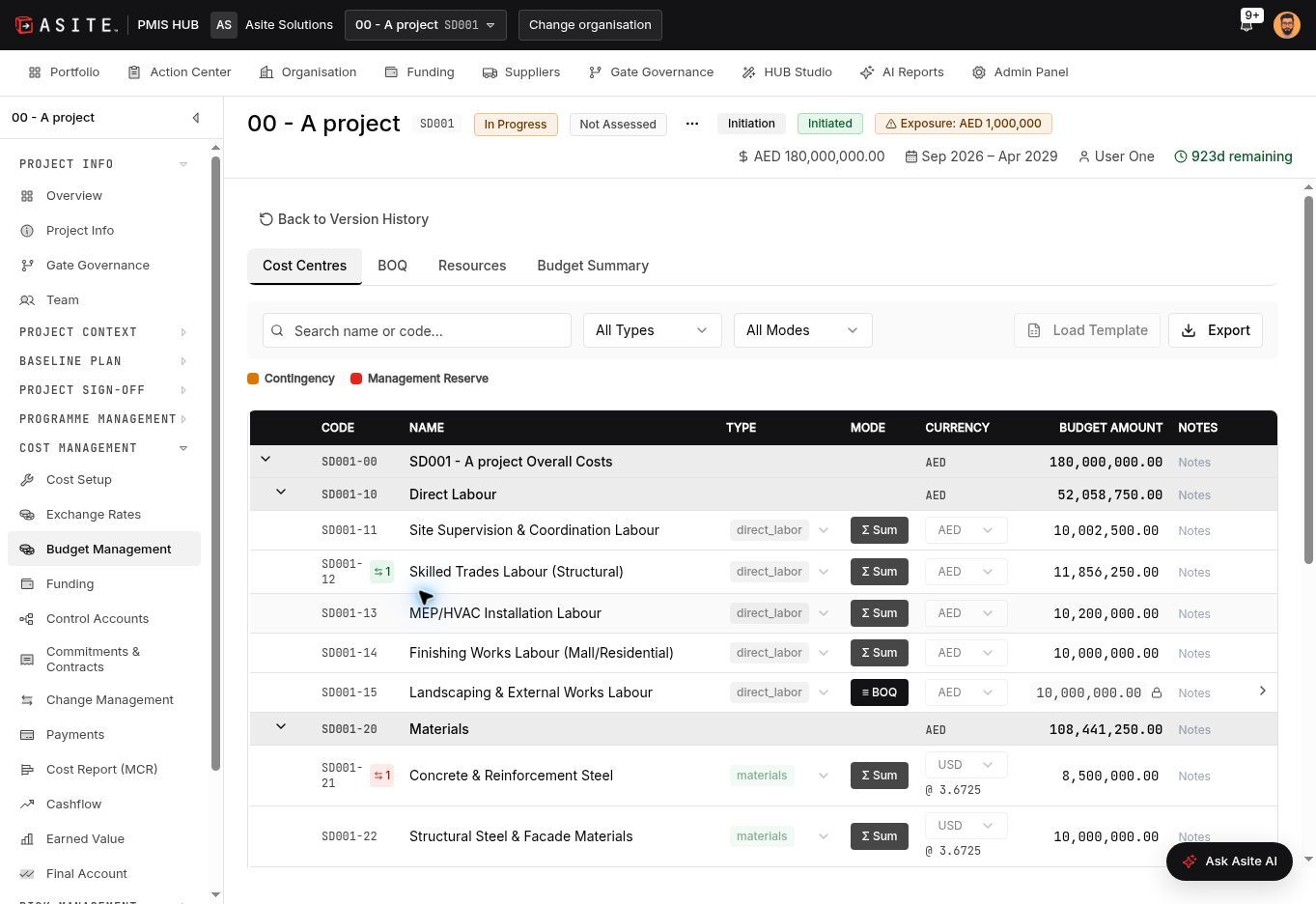
The budget workspace includes cost centres, bills of quantities, resources, version history and revision comparison. Revisions, reallocations and contingency or management-reserve requests follow the applicable approval process.
Commitments are allocated to cost codes, while the change register distinguishes potential variations, variation orders and claims. Teams can review emerging exposure alongside the approved position and retain a history of the commercial decisions behind it.
The Monthly Cost Report brings together budget, commitments, change, recognised cost, progress, value of work done, accruals, forecast and earned value for the selected period. Narratives and supporting views help explain the position.
Periods follow an approval and close process. Closed periods remain read-only; corrections are made through approved adjustments in the next open period. This preserves reported history while allowing later findings to be addressed through a controlled process.
Forecast and cashflow views sit alongside budgets, commitments, change and reporting periods. Teams can consider the expected final cost and the timing of cash movements using the project records and their stated reporting basis.
The management forecast remains an accountable team judgement, with statistical indicators available to challenge it. This helps commercial and project controls teams discuss the expected outcome using a shared context and explain differences from the approved plan.
Monte Carlo analysis evaluates a range of possible outcomes by repeatedly sampling defined uncertainty and risk inputs. PMIS supports cost, schedule and integrated analysis, bringing quantitative risk into the same environment as project controls.
The current beta capability uses governed risk quantification and, for schedule analysis, activity-duration uncertainty. It helps teams discuss the likelihood of meeting targets and the allowance that may be needed, rather than relying on a single deterministic outcome.
These percentiles express the modelled distribution of outcomes. A P80 finish date means that 80% of the simulated outcomes finish on or before that date. A P80 cost similarly marks the cost at or below which 80% of modelled outcomes fall.
PMIS presents percentile results and supporting risk information to inform discussions about targets, confidence and contingency. These are conditional model outputs, not guarantees: their usefulness depends on the quality, coverage and assumptions of the inputs. Monte Carlo is currently in beta.

PMIS provides sensitivity and risk-driver views, convergence information, saved run history and run comparison. These help reviewers understand influential inputs and assess whether the analysis is sufficiently stable for its intended use.
Where a complete input snapshot is retained, Exact Replay uses the stored inputs, settings and seed to check reproducibility. Running again against current inputs creates a new analysis. This supports a traceable risk discussion; Monte Carlo remains a beta capability.
The risk register captures threats and opportunities, ownership, assessment and response information. Risks can reference cost and work structures, while dashboards help teams review exposure and prioritise attention.
Eligible approved risk quantification can also feed Monte Carlo analysis. Keeping the register and quantitative analysis in the project environment helps teams relate uncertainty to delivery decisions, with the scope and exclusions of the analysis made visible.

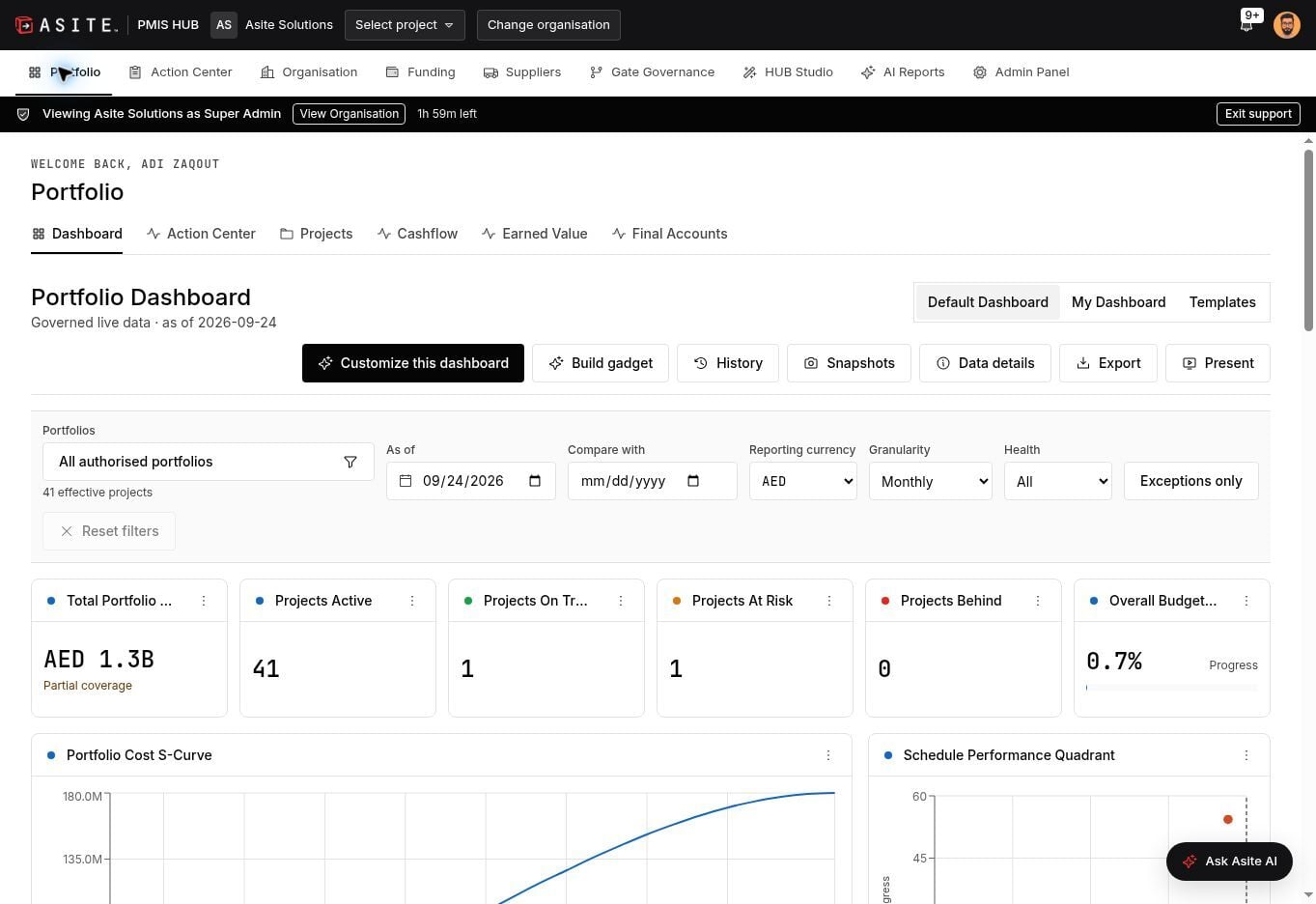
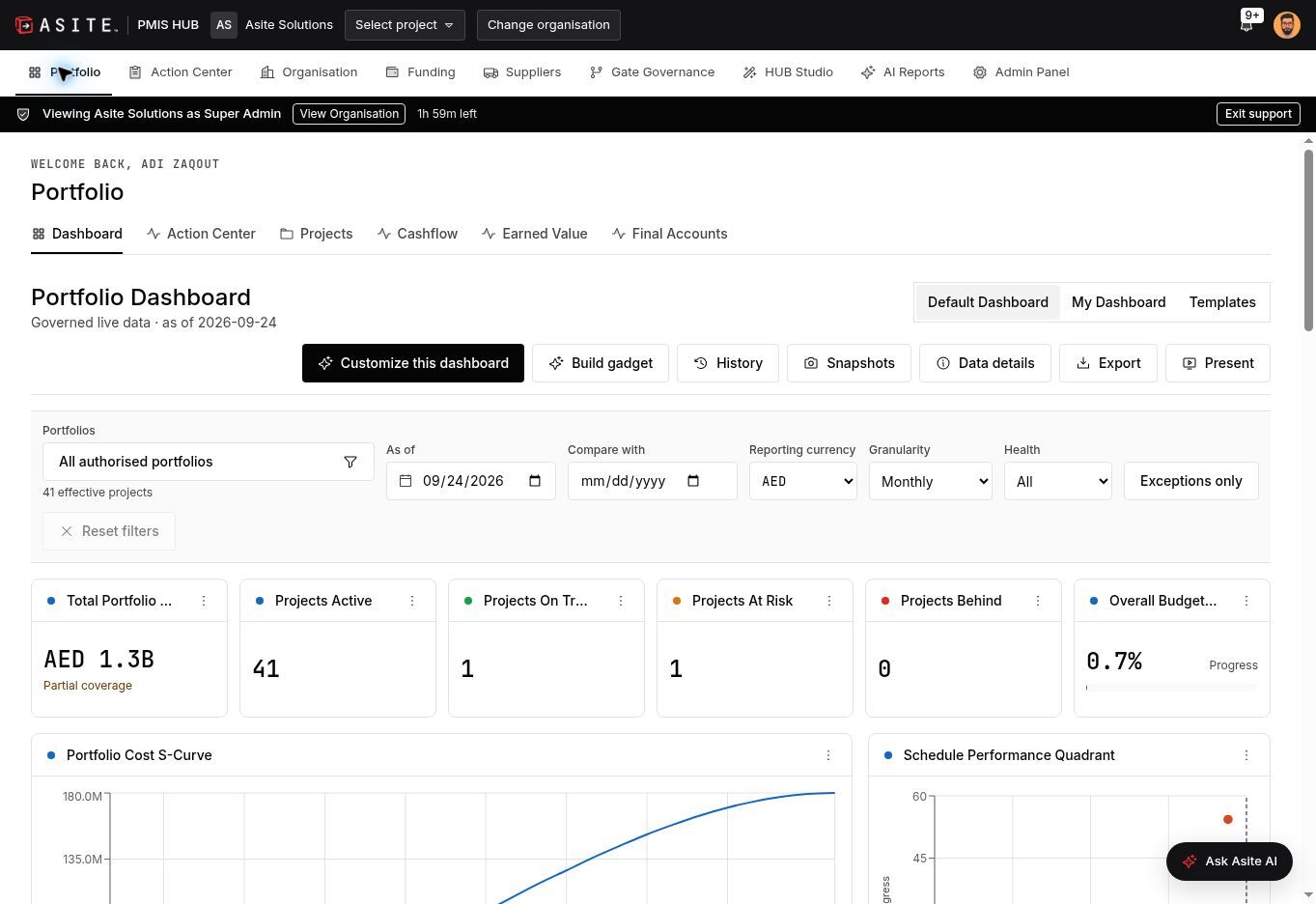
Portfolio dashboards aggregate the projects a user is authorised to access. Available views cover cost, schedule, cashflow, earned value, risk and other indicators, with reporting dates and data context.
Dashboard Studio supports layouts, templates, history, snapshots, exports and presentation mode. Data details explain sources and reporting basis. This helps leadership move from a portfolio signal to a more informed project discussion while preserving the user's access boundaries.

Asite AI supports project questions, drafting and review tasks, including charter content, risk suggestions, schedule checks and reporting narratives. The project assistant is designed to use project context within the user's permitted access.
This places assistance close to the records and workflows the team already uses. Responsible users review the output, verify figures and recommendations against the available evidence, and retain ownership of reporting and approval decisions.

Asite PMIS is connected to Asite CDE and forms part of the Asite ecosystem. Users can see CDE documents and forms within PMIS, bringing project information into the same working context as project controls and management reporting.
This helps teams relate the project position to its supporting information without treating documents, forms and controls as separate activities. The information available to each user follows the applicable access permissions and project configuration.

Yes. ERP integration is established and possible within the Asite solution approach. PMIS can be connected to your ERP to support agreed exchanges between financial systems and project controls.
The implementation defines the ERP involved, records to be exchanged, field mappings, system of record, update frequency and reconciliation process. This makes the connection fit your financial processes and reporting needs, with the supported scope agreed for your environment.

PMIS supports organisation and project roles, resource permissions, configured approval routes, reference data and libraries. HUB Studio supports custom forms assigned to selected projects.
These capabilities help organisations apply their structures and decision responsibilities across projects. Initiation, budget, baseline, change and reporting records can be managed within their applicable approval and revision processes, giving teams a consistent basis for accountability.

Assess how well a solution connects schedule quality, quantitative risk, cost control, earned value, approvals and the information supporting a decision. Ask whether results remain traceable when they move into a management report.
PMIS brings those capabilities into a shared project environment and connects them with the Asite ecosystem, portfolio dashboards and contextual AI. This offers a broader operational context for analysis and helps teams turn findings into governed project actions.
Begin with the customer outcomes that matter most: a more explainable monthly report, better visibility of change, connected schedule and cost performance, or a clearer assessment of risk. Select representative projects and agree the initial workflows.
Then confirm project structures, reporting periods, source data, user roles, CDE and ERP connections, training and acceptance criteria. A focused pilot gives the team a practical basis for validating the configuration and planning a wider rollout with Asite.
